
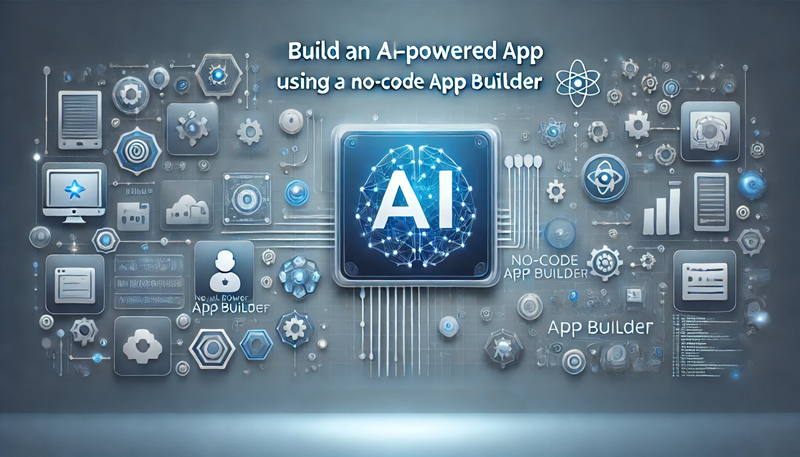
Artificial Intelligence (AI) is no longer reserved for tech giants and coding experts. With the rise of no-code app builders, anyone can develop AI-powered applications without writing a single line of code. Whether you’re an entrepreneur, small business owner, or a professional looking to automate workflows, building AI-powered apps using no-code tools has never been easier.
In this guide, we’ll explore how to create an AI-powered app using a no-code platform, the best AI-integrated no-code app builders, and the step-by-step process to launch your AI-driven application.
Why Use a No-Code App Builder for AI Development?
Benefits of No-Code AI App Development
With traditional coding, developing AI-powered applications requires deep knowledge of programming languages like Python, JavaScript, and Swift. However, no-code AI platforms remove these technical barriers by offering:
✅ Faster Development – Build apps in days instead of months
✅ Lower Costs – No need to hire expensive developers
✅ AI Automation – Integrate AI-driven chatbots, automation, and predictive analytics
✅ User-Friendly Interfaces – Drag-and-drop tools for easy customization
By combining no-code technology with AI capabilities, you can build powerful applications without a development team.
Top No-Code App Builders for AI-Powered Applications
Best No-Code AI App Development Platforms
Choosing the right no-code app builder is crucial for integrating AI effectively. Here are the top no-code platforms for building AI-powered apps:
🔹 Bubble
- Ideal for AI-driven web applications
- Supports AI chatbot integrations, workflow automation, and predictive analytics
- Advanced plugins for OpenAI’s ChatGPT, Google AI, and more
🔹 Adalo
- Best for AI-powered mobile applications
- Easy integration with Zapier, OpenAI, and automation tools
- Drag-and-drop functionality for building custom mobile apps
🔹 Thunkable
- Perfect for AI-powered voice assistants and smart apps
- Supports AI-powered voice recognition, chatbot integration, and automation
🔹 Glide
- Best for AI-powered business dashboards and workflow automation
- Turns Google Sheets into AI-enhanced web and mobile apps
🔹 Zapier + OpenAI
- Automates AI workflows without coding
- Best for integrating AI chatbots, data analysis, and content generation
Each of these AI-integrated no-code platforms offers unique features to build intelligent, scalable, and user-friendly applications.
Step-by-Step Guide: How to Build an AI-Powered App Without Coding
1. Define Your AI-Powered App Idea
Before building, outline the purpose of your AI app. Ask yourself:
❓ Do you want an AI chatbot for customer support?
❓ Will your app automate business workflows?
❓ Do you need AI-generated content for marketing automation?
Popular No-Code AI App Ideas:
🔹 AI chatbots for customer service
🔹 AI-powered recommendation engines for eCommerce
🔹 AI-based voice assistants for automation
🔹 AI-powered data analytics dashboards
Once you define your use case, you’re ready to choose a no-code AI app builder.
2. Choose the Best No-Code AI App Builder
Based on your app’s purpose, select a no-code platform that supports AI-powered features:
📌 For AI Chatbots → Bubble, Zapier + OpenAI
📌 For AI-Powered Mobile Apps → Adalo, Thunkable
📌 For AI Data Dashboards → Glide
Most no-code AI development tools come with pre-built templates, so you don’t need to start from scratch.
3. Add AI Features to Your No-Code App
No-code platforms allow you to integrate AI capabilities without programming. Common AI features include:
✅ AI Chatbots – Automate conversations using OpenAI’s ChatGPT
✅ AI Image Recognition – Use Google Vision for scanning images
✅ Voice AI & Speech Recognition – Convert voice-to-text
✅ AI-Powered Recommendations – Suggest content, products, or services
Most no-code AI platforms provide drag-and-drop AI elements, making the integration process simple and seamless.
4. Customize Your App’s Design and User Experience
A great UI/UX ensures users stay engaged with your AI-powered app. Optimize your app by:
🎨 Using drag-and-drop tools to modify layouts
📲 Adding interactive features like buttons and sliders
🚀 Optimizing for mobile devices for better performance
With no-code design tools, you can quickly create a professional-looking AI app without hiring a UI designer.
5. Test and Launch Your AI-Powered App
Before making your app public, ensure:
✅ AI automation works properly (e.g., chatbot responses are accurate)
✅ Performance is optimized (no lagging or slow response times)
✅ Security settings are enabled (especially if handling user data)
Once tested, publish your AI-powered app on the web, iOS, or Android—all without coding!
Real-World Use Cases: What Can You Build with No-Code AI?
1. AI-Powered Customer Support App
💡 Create automated AI chatbots for businesses using OpenAI’s API.
2. AI-Based Healthcare App
💡 Build an AI-powered symptom checker for telemedicine.
3. AI-Powered Productivity App
💡 Develop voice-to-text AI tools for meetings and note-taking.
4. AI-Driven Content Generation App
💡 Automate blog writing, marketing copy, and image generation.
With AI-driven no-code app development, the possibilities are endless!
Challenges of No-Code AI Development
While no-code AI tools simplify app creation, they come with some limitations:
⚠️ Limited Customization – No-code AI apps may not support complex AI models.
⚠️ Scalability Issues – Large-scale AI applications may need custom coding.
⚠️ Vendor Lock-in – Some platforms limit exporting apps, making migration difficult.
To overcome these challenges, businesses can use a hybrid approach—combining no-code AI tools with custom scripting.
Final Thoughts: Should You Use a No-Code App Builder for AI?
No-code AI development is transforming how businesses build intelligent applications. Whether you’re launching an AI-powered chatbot, automating workflows, or developing AI-driven analytics, no-code platforms make it easy and cost-effective.
Key Takeaways:
✔️ No-code AI tools simplify app development
✔️ Anyone can build an AI-powered app without coding
✔️ AI-powered apps improve efficiency, automation, and user engagement